Storing Print Data
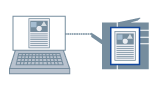
You can store the print data in a box in the device. You can also change the settings of or combine the stored data with other stored data from the control panel of the device or the Remote UI.
1.
Display the appropriate sheet from the print settings screen of this app.
2.
Select [Store] from [Output Method] → click [Details].
3.
In the [Store Details] dialog box, set the name of data.
If you want to specify a desired name, select [Data Name] > [Enter Name] → enter the name in [Name].
4.
Click [Retrieve Mail Box Information] → click [Yes] → select a storage destination from [Mail Boxes].
5.
Click [OK].