514C-031
Printouts Are Faded
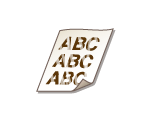
A possible cause may be that appropriate paper is not used or the amount remaining in toner cartridges is running low. Check the following.
Is [POP Printing Optimization] configured on the printer driver?
NOTE
If you select <Mode 2>, the print speed may be slower.
Perform calibration for POP printing.
Are you using appropriate paper?
Check usable paper, and replace with appropriate paper. Also, specify the paper size and type settings properly.
Is the amount remaining in toner cartridge running low?
Check the toner cartridge status indication, and perform toner cartridge replacement as necessary.
Regardless of the toner cartridge status indication, one or more toner cartridges may have reached the end of their lifetime due to the machine's environmental conditions and the deteriorated materials in the cartridges. Replace the toner cartridge.
Is the amount remaining in drum cartridge running low?
Check the drum cartridge status indication, and perform drum cartridge replacement as necessary.