5879-02Y
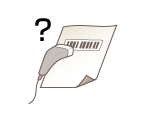
Printed Barcode Cannot Be Read
It is possible that a small barcode or a barcode consisting of thick lines cannot be read.
Enlarge the barcode.
If the direction of lines in the barcode is perpendicular to the paper output direction, turn the image 90 degrees to make the lines parallel to the paper output direction.
If the problem persists even after performing the above operation, change the [Barcode Adjustment Mode] setting of the printer driver. The improvement effect is weakest with [Mode 1] and increases in the ascending number order. Try the adjustment starting with [Mode 1].
[Finishing] tab  [Advanced Settings] [Barcode Adjustment Mode] Select the mode |
NOTE
If the improvement effect is stronger, the print density may become lighter.
If [Barcode Adjustment Mode] is specified, the <Special Print Mode A> setting is disabled. In addition, specifying [Mode 4] or [Mode 5] results in slower printing.
[Barcode Adjustment Mode] may not be displayed depending on the printer driver settings. For information about how to display it, see the manuals for the relevant drivers on the online manual website.