Preparing the Scanner
Configuring Scanning
In Desktop Browser, you can perform remote scanning of a paper document and import the scanned document into a folder in a library.
Scan settings can be changed later. For more information on advanced settings, see the "User's Guide".
Install the scanner driver to use in advance.
1.
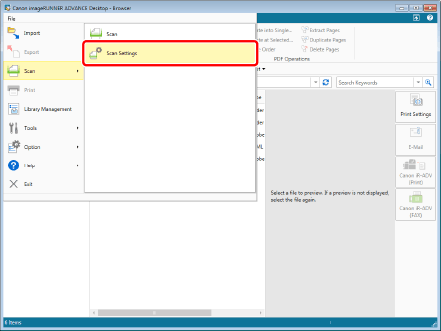
Select the [File] menu > [Scan] > [Scan Settings].
2.
Click [Select].

3.
Select the scanner driver you want to use, and click [Select].

4.
Click [OK].