Configurating Operations for Transfer Errors
When received documents are transferred or when a transfer error occurs, its details can be saved in a memory or printed.
1
Press [ ] (Menu).
] (Menu).2
Select <System Settings> using [ ] or [
 ] and press [OK].
] or [] and press [OK].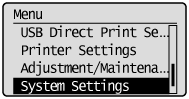
When the system manager ID and system manager PIN are specified
Use the numeric keys to enter the ID and number, and then press [ ] (Log In/Out).
] (Log In/Out).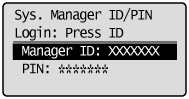
3
Select <Store/Print When Forwarding> using [] or [] and press [OK].
] or [] and press [OK].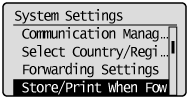
To print a transferred document
|
(1)
|
Select <Print Images> using [
] or [] and press [OK].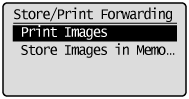 |
||||||
|
(2)
|
Select settings using [
] or [] and press [OK].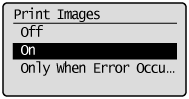
|
To save a transferred document in a memory
|
(1)
|
Select <Store Images in Memory> using [
] or [] and press [OK].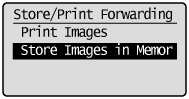 |
||||
|
(2)
|
Select settings using [
] or [] and press [OK].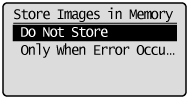
|
4
Press [] (Menu) to close the menu screen.
] (Menu) to close the menu screen.