
Using the Display
The display is a touch panel, allowing you to operate directly on the screen.
|
|
Avoid the following actions.The display may misfunction or be damaged.
Pressing forcefully
Pressing with pointed objects (fingernails, ballpoint pen, pencil, etc.)
Operating with wet/soiled hands
Operating the display while an object is placed on it
|
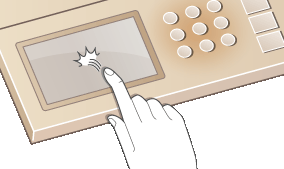
Tap
Touch the screen lightly and quickly. Use for selecting or finalizing items.
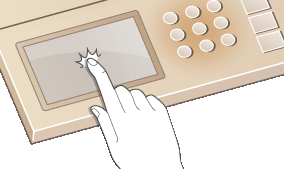
Long Touch
Keep finger held on the screen. When text cannot be completely displayed on one line ("..." appears), touch and hold the line to scroll all of the text. Also continuously increases/decreases the copy magnification.
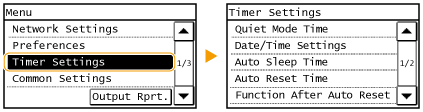
Selecting items
Tap an item name or button to make a selection.
 |
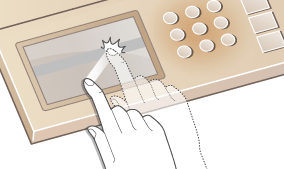
If an item is mistakenly touchedSlide your finger away then release it from the screen to cancel the selection.
 To return to the previous screenPress
 to return to the previous screen. to return to the previous screen. |
Scrolling the screen
The scroll bar is displayed on the screen when there is still information that is undisplayed. If the scroll bar is displayed, tap  /
/ to scroll the screen. The screen changes page by page, and the page number is displayed in the scroll bar.
/ to scroll the screen. The screen changes page by page, and the page number is displayed in the scroll bar.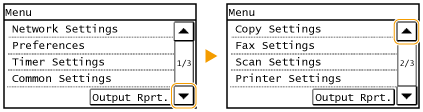
Changing values and settings
Changing values
Tap / to enter values. If an icon such as below is displayed at the upper left of the screen, you can enter values directly using the numeric keys.
/ to enter values. If an icon such as below is displayed at the upper left of the screen, you can enter values directly using the numeric keys.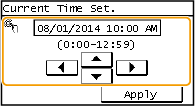
|
|
|
To move the cursor
When
 / / is displayed, tap to move the cursor. is displayed, tap to move the cursor. |
Changing setting values
To adjust a value on a scale, tap <-> / <+>.
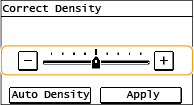
 |
|
You can change a variety of display-related settings, such as the scrolling speed or display language:
To change the screen that is automatically displayed when the machine remains idle for a specified length of time:
|