Setting a Custom Paper Size
You can register sizes and types of frequently used paper.
Multi-purpose tray
When <Register Default Set.> is <Off> (default)
The screen to be displayed when paper is loaded in the multi-purpose tray
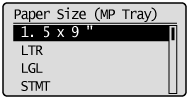
The screen to be displayed when paper is loaded in the multi-purpose tray
When <Register Default Set.> is <On>
Paper Size Setting Screen
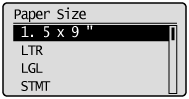
 "Registering the Default Paper Settings for the Multi-purpose Tray"
Paper Size Setting Screen
"Registering the Default Paper Settings for the Multi-purpose Tray"1
Press [ ] (Select Paper/Settings).
] (Select Paper/Settings).2
Select <Paper Settings> using [ ] or [
 ] and press [OK].
] or [] and press [OK].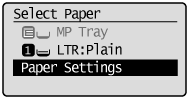
3
Select <Register Custom Paper> using [] or [] and press [OK].
] or [] and press [OK].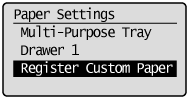
4
Select <Not Registered> using [] or [] and press [OK].
] or [] and press [OK].When selecting the registered custom paper, you can edit and delete the custom paper.
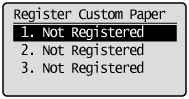
5
Specifies the size of <X> direction and <Y> direction.
 |
Specify the paper size in portrait orientation (<Y>
 <X>) and within the range that can be defined. <X>) and within the range that can be defined. |
|
(1)
|
Select the direction using [
] or [] and press [OK].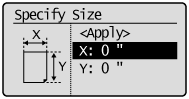 |
|
(2)
|
Specify the size using [
] or [] and press [OK].You can also enter values using the numeric keys.
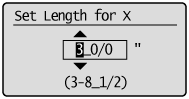 |
|
(3)
|
Select <Apply> using [
] or [] and press [OK].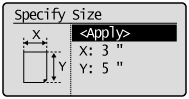 |
6
Select the paper type using [] or [] and press [OK].
] or [] and press [OK].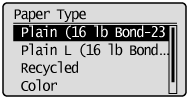
7
Press [] (Select Paper/Settings) to close the <Select Paper> screen.
] (Select Paper/Settings) to close the <Select Paper> screen.