Basic Procedures for Sending Faxes
1
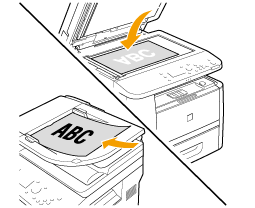
Place your fax.
2
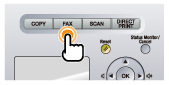
Press [ ].
].
].
3
Specify the scanning settings as needed.
The settings specified here are effective only for the current sending operation. To make the settings effective for all the fax operations, see "Changing the Default Fax Settings."
4
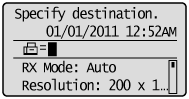
Specify the destination.
Specify destinations in the following ways.
by entering the fax number
by selecting a one-touch key
by selecting a coded dial code
by selecting a group address
from the Address book
under sequential broadcasting
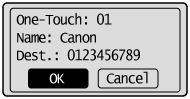
When the destination confirmation screen is displayed
After confirming details of the destination, press [OK] to proceed to the next step.

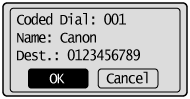
 |
If <One-Touch/Coded Dial TX Confirmation> is set to <On> and the destination is specified by One-Touch keys or Coded dialing codes, the screen is displayed.
|
5
Press [ ] (Start).
] (Start).When your fax is placed in the feeder
The scan starts. Your fax is sent to the destination when the scan is complete.
When your fax is placed on the platen glass
Perform the following procedure.
|
(1)
|
Select the size of the original document using [
 ] or [ ] or [ ] and press [OK]. ] and press [OK]. |
|
(2)
|
Place the next page on the platen glass and press [
] (Start). Press [
] (Start) for each page. |
|
(3)
|
When all documents are scanned completely, select <Start Sending> using [
] or [] and press [OK].Your fax is sent to your fax destination.
|