Select whether or not to require confirmation when specifying a destination by the one-touch key or coded dialing code.
When this option is enabled, you are required to confirm details of the destination on the displayed screen.
Confirming Destinations for One-TouchCoded Dial TX
1
Press [ ] (Menu).
] (Menu).2
Press [ ] or [
 ] to highlight <System Settings>, and then press [OK].
] or [] to highlight <System Settings>, and then press [OK].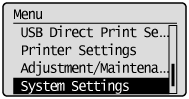
When the system manager ID and system manager PIN are specified
Use the numeric keys to enter the ID and number, and then press [ ] (Log In/Out).
] (Log In/Out).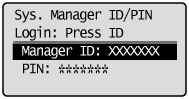
3
Press [] or [] to highlight <Restrict TX Function>, and then press [OK].
] or [] to highlight <Restrict TX Function>, and then press [OK].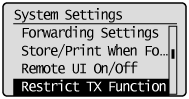
4
Press [] or [] to highlight <One-Touch/Coded Dial TX Confirmation>, and then press [OK].
] or [] to highlight <One-Touch/Coded Dial TX Confirmation>, and then press [OK].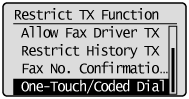
5
Press [] or [] highlight <Off> or <On>, and then press [OK].
] or [] highlight <Off> or <On>, and then press [OK].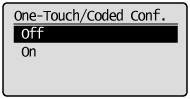
|
<Off>
|
Confirmation is not required.
|
|
<On>
|
Confirmation is required.
|
6
Press [] (Menu) to close the menu screen.
] (Menu) to close the menu screen.