Setting SNMPv1
|
Before setting the SNMPv1, see "Attention (Setting SNMPv1)."
|
You can restrict the users who can specify and browse the settings or obtain machine information easily using the SNMPv1 protocol.
|
IMPORTANT
|
When the setup is complete:Restart the machine to activate these settings.
|
1
Press [ ] (Menu).
] (Menu).2
Press [ ] or [
 ] to highlight <Network Settings>, and then press [OK].
] or [] to highlight <Network Settings>, and then press [OK].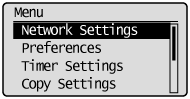
If a System Manager PIN is specified:
Use the numeric keys to enter the System Manager PIN, and then press [OK].
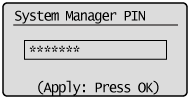
3
Press [] or [] to highlight <SNMPv1 Settings>, and then press [OK].
] or [] to highlight <SNMPv1 Settings>, and then press [OK].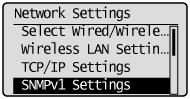
4
Specify the SNMPv1 protocol.
If you do not use the SNMPv1 protocol:
|
(1)
|
Press [
] or [] to highlight <Off>, and then press [OK].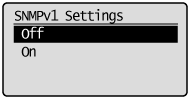 |
|
(2)
|
Press [
] (Menu) to close the Menu screen. |
|
(3)
|
Restart the machine.
Turn OFF the machine and wait for at least 10 seconds before turning it ON again.
|
If you use the SNMPv1 protocol:
|
(1)
|
Press [
] or [] to highlight <On>, and then press [OK].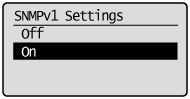 |
||||||||||||||||||||||||||||||
|
(2)
|
Press [
] or [] to highlight a setting item, and then press [OK].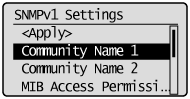 |
||||||||||||||||||||||||||||||
|
(3)
|
Specify the SNMPv1 protocol.
|
||||||||||||||||||||||||||||||
|
(4)
|
Press [
] (Menu) to close the Menu screen. |
||||||||||||||||||||||||||||||
|
(5)
|
Restart the machine.
Turn OFF the machine and wait for at least 10 seconds before turning it ON again.
|