Setting a Custom Paper Size
You can register the paper sizes and types of paper that you frequently use.
1
Press [ ] (Paper Settings).
] (Paper Settings).2
Press [ ] or [
 ] to highlight <Drawer 1>, and then press [OK].
] or [] to highlight <Drawer 1>, and then press [OK].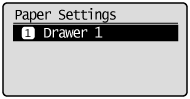
3
Press [] or [] to highlight <Custom Size>, and then press [OK].
] or [] to highlight <Custom Size>, and then press [OK].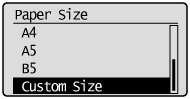
4
Specifies the size of <X> direction and <Y> direction.
For paper size, specify within the possible range of length and width (<Y> ≥ <X>).
|
(1)
|
Press [
] or [] to highlight the X direction, and then press [OK].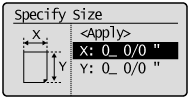 |
|
(2)
|
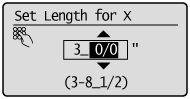
Press [
] or [] to specify the size, and then press [OK].You can also enter values using the numeric keys.
 |
|
(3)
|
Refer to steps (1)-(2) to specify the size of the Y direction.
|
|
(4)
|
Press [
] or [] to highlight <Apply>, and then press [OK].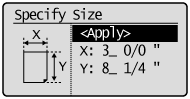 |
5
Press [] or [] to highlight the desired paper type, and then press [OK].
] or [] to highlight the desired paper type, and then press [OK].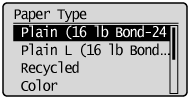
6
Press [] (Paper Settings) to close the <Paper Size> screen.
] (Paper Settings) to close the <Paper Size> screen.