Redialing (Manual Redialing)
|
See "Attention (Manual Redialing)" in advance.
|
You can call and redial up to three fax sending history.
1
Place your fax.
2
Press [ ] (FAX/COPY) to switch to the Fax mode screen.
] (FAX/COPY) to switch to the Fax mode screen.3
Press [ ] (Redial/Pause).
] (Redial/Pause).4
Press [ ] or [
 ] to highlight history for redial, and then press [OK].
] or [] to highlight history for redial, and then press [OK].In the history, recipient's fax number is displayed.
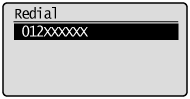
5
Press [ ] (Start).
] (Start).