Checking and Canceling Fax Jobs
Check the details of the fax currently being sent or waiting to be sent. Cancel faxes that you decide not to send.
1
Press [ ] (Status Monitor/Cancel).
] (Status Monitor/Cancel).2
Press [ ] or [
 ] to highlight <Fax Job Status/History>, and then press [OK].
] or [] to highlight <Fax Job Status/History>, and then press [OK].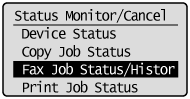
3
Press [] or [] to highlight <TX Job Status>, and then press [OK].
] or [] to highlight <TX Job Status>, and then press [OK].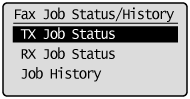
4
Press [] or [] to highlight the job that you want to check or cancel, and then press [OK].
] or [] to highlight the job that you want to check or cancel, and then press [OK].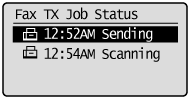
The details of the selected job are displayed.
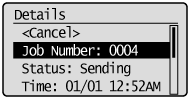
To cancel the job:
|
(1)
|
Press [
] or [] to highlight <Cancel>, and then press [OK].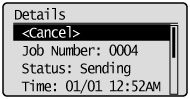 |
|
(2)
|
Press [
 ] to highlight <Yes>, and then press [OK]. ] to highlight <Yes>, and then press [OK].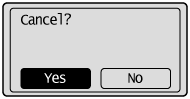 The sending job is canceled. Fax transmission to all the destinations will be canceled for sequential broadcast.
|
|
(3)
|
Press [
] (Status Monitor/Cancel) to close the screen. |
To only check the details of the selected job:
Press [] (Status Monitor/Cancel) after you have checked the details of the selected job to close the screen.
] (Status Monitor/Cancel) after you have checked the details of the selected job to close the screen.