Setting the System Manager Information
|
Before setting the system manager information, see "Attention (Specifying the System Manager Information)."
|
Specify the System Manager information for the machine. You can set the following information:
System Manager PIN
System Manager Name
If you set the System Manager PIN, you can operate the <System Settings> menu only when you enter the PIN.
1
Press [ ] (Menu).
] (Menu).2
Press [ ] or [
 ] to highlight <System Settings>, and then press [OK].
] or [] to highlight <System Settings>, and then press [OK].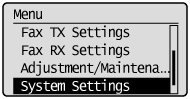
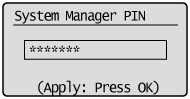
If a System Manager PIN is specified:
Use the numeric keys to enter the System Manager PIN, and then press [OK].
3
Press [] or [] to highlight <System Manager Information Settings>, and then press [OK].
] or [] to highlight <System Manager Information Settings>, and then press [OK].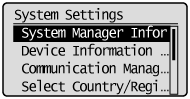
4
Specify the System Manager information.
If you specify <System Manager PIN>:
|
(1)
|
Press [
] or [] to highlight <System Manager PIN>, and then press [OK]. 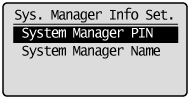 |
|
(2)
|
Use the numeric keys to enter the System Manager PIN, and then press [OK].
Up to 7 digits can be entered.
When the confirmation screen appears, enter the PIN again, and then press [OK].
|
If you clear the password protection:
Press [ ] (Clear) to delete the PIN, and then press [OK].
] (Clear) to delete the PIN, and then press [OK].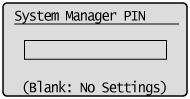
If you specify <System Manager Name>:
|
(1)
|
Press [
] or [] to highlight <System Manager Name>, and then press [OK]. 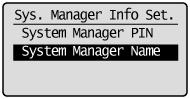 |
|
(2)
|
Specify the System Manager name.
Up to 32 characters can be entered.
After you have specified the setting, press [
] or [] to highlight <Apply>, and then press [OK]. 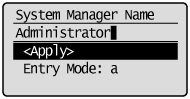 |
5
Press [] (Menu) to close the Menu screen.
] (Menu) to close the Menu screen.