Registering/Editing/Deleting Coded Dialing Codes
You can perform the following tasks:
Register coded dialing codes
Edit coded dialing codes
Delete coded dialing codes
1
Press [ ] (FAX/COPY) to switch to the Fax mode screen.
] (FAX/COPY) to switch to the Fax mode screen.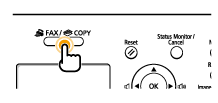
2
Press [ ] (Address Book).
] (Address Book).To register a new coded dialing code:
|
(1)
|
When destinations are already registered in a coded dialing code, press [
 ]. ].To register a destination for the first time, proceed to step (2).
|
||||||||
|
(2)
|
Press [
 ] or [ ] or [ ] to highlight <Register New Destination to Address Book>, and then press [OK]. ] to highlight <Register New Destination to Address Book>, and then press [OK].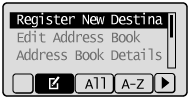
|
||||||||
|
(3)
|
Press [
] or [] to highlight <Coded Dial>, and then press [OK].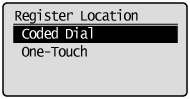 |
||||||||
|
(4)
|
Press [
] or [] to highlight <Fax>, and then press [OK].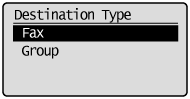 |
||||||||
|
(5)
|
Press [
] or [] to highlight <Name>, and then press [OK].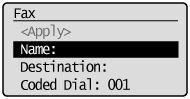 |
||||||||
|
(6)
|
Use the numeric keys to specify a name for the destination.
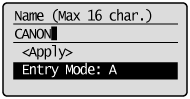 |
||||||||
|
(7)
|
Press [
] or [] to highlight <Apply>, and then press [OK].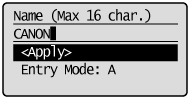 |
||||||||
|
(8)
|
Press [
] or [] to highlight <Destination>, and then press [OK].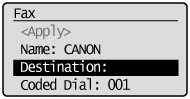 |
||||||||
|
(9)
|
Use the numeric keys to specify the fax number.
Press [OK] to specify <Set Details>, if necessary.
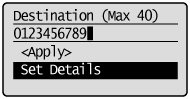 To register a subaddress and password for the destination:
|
||||||||
|
(10)
|
Press [
] or [] to highlight <Apply>, and then press [OK].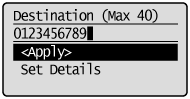 |
||||||||
|
(11)
|
Press [
] or [] to highlight <Coded Dial>, and then press [OK].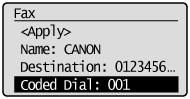 |
||||||||
|
(12)
|
Press [
] or [] to highlight the coded dialing number you want to register, and then press [OK].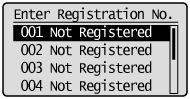 |
||||||||
|
(13)
|
Press [
] or [] to highlight <Apply>, and then press [OK].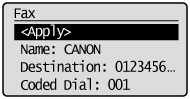 |
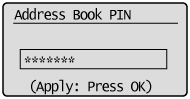

To edit a coded dialing code:
|
(1)
|
Press [
].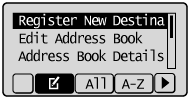 |
||||
|
(2)
|
Press [
] or [] to highlight <Edit Address Book>, and then press [OK].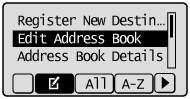
|
||||
|
(3)
|
Press [
] or [] to highlight the destination that you want to edit, and then press [OK].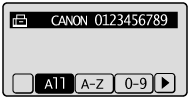 |
||||
|
(4)
|
Press [
] or [] to highlight the item that you want to edit, and then press [OK].Name
Destination
Coded Dial
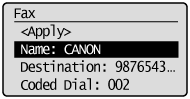 |
||||
|
(5)
|
When the edit is complete, press [
] or [] to highlight <Apply>, and then press [OK]. |
||||
|
(6)
|
Press [
] or [] to highlight <Apply>, and then press [OK].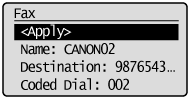 |
To delete a coded dialing code:
|
(1)
|
Press [
].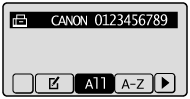 |
||||
|
(2)
|
Press [
] or [] to highlight <Delete From Address Book>, and then press [OK].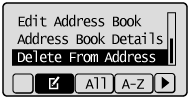
|
||||
|
(3)
|
Press [
] or [] to highlight the destination that you want to delete, and then press [OK]. |
||||
|
(4)
|
Press [
] to highlight <Yes>, and then press [OK].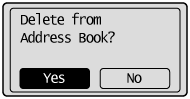 |
3
Press [ ] (Back) to close the Address Book screen.
] (Back) to close the Address Book screen.