 ] is displayed only when a certificate has been issued for the created key.
 Checking a Certificate
1
Click the icon of the certificate to be confirmed.
[ ] is displayed only when a certificate has been issued for the created key.
] is displayed only when a certificate has been issued for the created key. 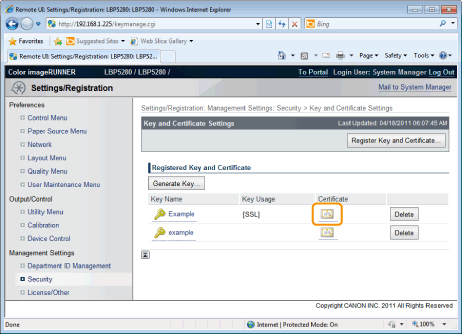
2
If you want to verify the certificate, click [Certificate Verification].
|
→
|
The verification result is displayed.
|
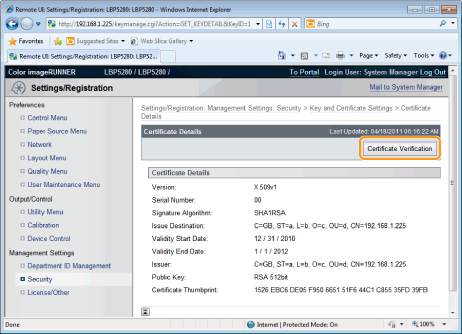
Check the verification result, and then click [Back to Certificate Details].