Checking the ROM Installation
After installing a ROM module, print Configuration Page to check if the module is installed properly.
|
NOTE
|
Load A4 size paper.Configuration Page is designed to be printed on A4 size paper.
Be sure to load A4 size paper when printing the Configuration Page. |
1
Load A4 size paper in the multi-purpose tray or drawer.
2
Make sure that the printer is online.
If the printer is not online, press [  ] (
] ( Online).
] (Online).3
Press [  ] (
] ( Utility).
] (Utility). 4
Select [Configuration Page] using [  ] and [
  ], and then press [OK].
] and [ ], and then press [OK].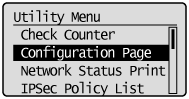
5
Select [Yes] using [ ], and then press [OK] to print Configuration Page.
], and then press [OK] to print Configuration Page.
|
NOTE
|
||||
How to check the installationPS ROM
Confirm that [PS] is displayed in [Controller]. Bar DIMM
Confirm that [BarDIMM] is displayed in [PCL]. 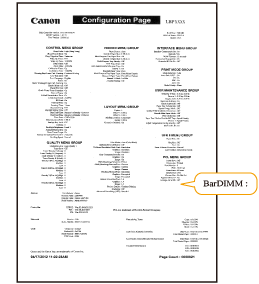
|
