Paper Jams
|
Before removing jammed paper, see "Attention (Paper Jams)."
|
When a paper jam occurs, the  (Paper Jam) indicator (orange) blinks, and messages appear in the Printer Status Window.
(Paper Jam) indicator (orange) blinks, and messages appear in the Printer Status Window.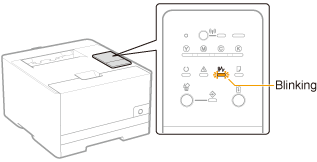



Remove paper jammed in each area in the order of the displayed areas in the message.
|
Message and Clearance Procedure
|
Paper Jam Area
|
 |
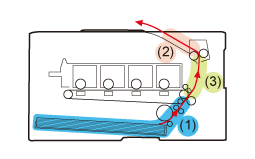 (Side View)
|
 If the Printer Status Window is not displayed If the Printer Status Window is not displayed |
 "
"