Deleting Favorite Settings
1.
Press [Fax] → [Favorite Settings].

2.
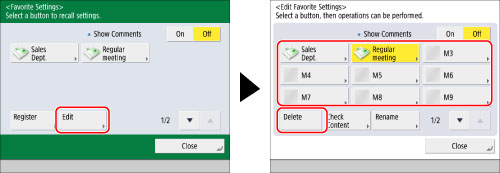
Press [Edit] → select the button to delete → press [Delete].
3.
Press [Yes].
|
NOTE
|
|
Button names and comments are not deleted. For instructions on changing a button name and/or comment, see "Editing a Name/Comment."
|
4.
Press [Close].