Printing the TX Report
You can print the TX Report to check whether documents were sent correctly to their intended destinations.
|
NOTE
|
|
If [TX Report] is set as indicated below in [Function Settings] (Settings/Registration), [TX Report] cannot be set in [Options].
If [On] is selected
If [For Error Only] or [Off] is selected and [Off] is selected for [Allow Printing from Options]
|
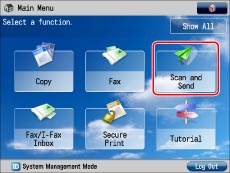
1.
Press [Scan and Send].
2.
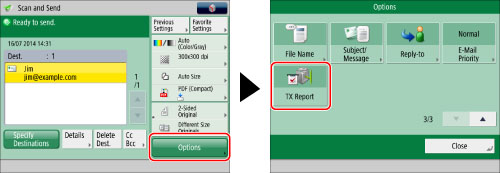
Specify the destination → press [Options] → [TX Report].
3.
Press [Close].