Preparing to Scan with AirPrint
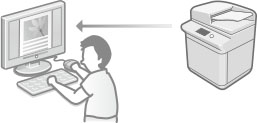
Using AirPrint enables you to directly import data scanned with the machine to a Macintosh.
System Requirements
Macintosh with OS X v10.9 or later installed
Network Environment
The Macintosh and the machine must be on the same LAN or connected via USB.
Setting the Machine
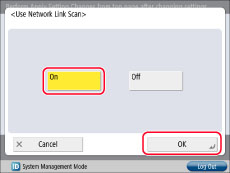
Set [Use Network Link Scan] in <Preferences> to 'On'.
|
NOTE
|
|
If you set [Use AirPrint] to 'On', this setting is also automatically set to 'On'.
|
1.
Press  (Settings/Registration).
(Settings/Registration).2.
Press [Log In] → enter the System Manager ID and System PIN → press  (Log In/Out).
(Log In/Out).3.
Press [Preferences] → [Network] → [TCP/IP Settings] → [Use Network Link Scan].
4.
Press [On] → [OK].