Erasing Dark Borders and Frame Lines (Erase Frame)
 |
|
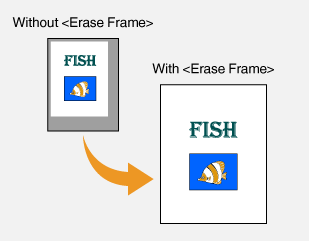
When copying documents that are smaller than the output paper size, frame lines may appear around the edges in the copied image. When copying facing pages from thick book, dark borders may appear. <Erase Frame> enables you to erase these frame lines and dark borders.
|
 |
|
The width of the frame to erase is increased or decreased relative to the <Copy Ratio> setting.
<Erase Frame> is not available when using <2 on 1>/<4 on 1> or <ID Card Copy>.
|
<Copy>  <Erase Frame> <On> Specify the width of the frame to erase <Apply> Select the document size on the <Scan Size> screen
<Erase Frame> <On> Specify the width of the frame to erase <Apply> Select the document size on the <Scan Size> screen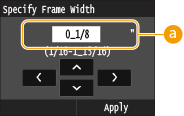
 Frame Width
Tap  /
/ to specify the size of the frame width, and tap
  /
/ to move the cursor back and forth between the whole number and fraction (1/16" to 1 15/16" [1 to 50 mm]).
/to specify the size of the frame width, and tap / to move the cursor back and forth between the whole number and fraction (1/16" to 1 15/16" [1 to 50 mm]).Example: If you want to erase the dark borders and frame lines