Adjusting Density Manually
When scanning, you can adjust the density to the most appropriate level for the original.
As an example, the procedure for selecting memory media as the storage location is explained in this section.
1.
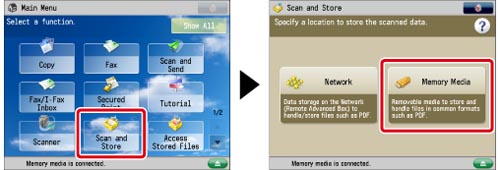
Press [Scan and Store] → [Memory Media].
2.
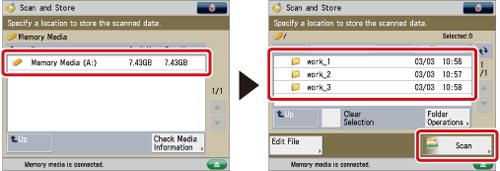
Select the memory media → select the destination folder → press [Scan].
3.
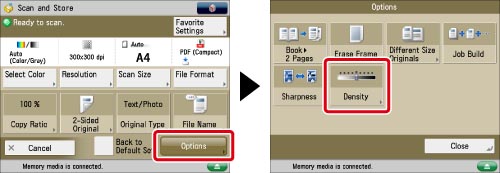
Press [Options] → [Density].
4.
Press  or
or  to adjust the density for the original → press [OK] → [Close].
or to adjust the density for the original → press [OK] → [Close].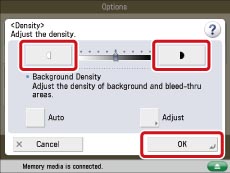
|
IMPORTANT
|
|
For information on the modes which cannot be set in combination with this mode, see "Combination of Functions Chart."
|