Selecting Country/Region
Specify the country or region where the machine is used.
1
Press [ ] (Settings/Registration).
] (Settings/Registration).2
Press [ ] or [
 ] to highlight <System Management Settings>, and then press [OK].
] or [] to highlight <System Management Settings>, and then press [OK].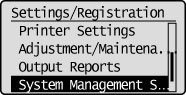
If System Manager Information Settings are specified:
Use the numeric keys to enter the System Manager ID and PIN, and then press [OK].
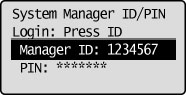
Press  (Log In/Out).
(Log In/Out).3
Press [] or [] to highlight <Select Country/Region>, and then press [OK].
] or [] to highlight <Select Country/Region>, and then press [OK].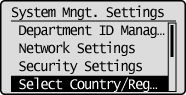
4
Press [] or [] to select the country/region to use the machine, and then press [OK].
] or [] to select the country/region to use the machine, and then press [OK].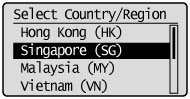
5
Press [] (Settings/Registration) to close the Settings/Registration screen.
] (Settings/Registration) to close the Settings/Registration screen.