Restricting External Device Connections via USB
You can restrict USB connection to a computer.
The USB port at the right side of the machine is inactive, when this setting is enabled.
1
Press [ ] (Settings/Registration).
] (Settings/Registration).2
Press [ ] or [
 ] to highlight <System Management Settings>, and then press [OK].
] or [] to highlight <System Management Settings>, and then press [OK].If System Manager Information Settings are specified:
For the imageRUNNER 2202N/2002N:
Use the numeric keys to enter the System Manager ID and PIN, and then press [OK].
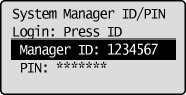
Press  (Log In/Out).
(Log In/Out).For the imageRUNNER 2002:
Press [ ] or [
 ] to enter the System Manager PIN, and then press [OK].
] or [] to enter the System Manager PIN, and then press [OK].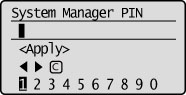
Press [] to highlight <Apply>, and then press [OK].
] to highlight <Apply>, and then press [OK].3
Press [] or [] to highlight <USB Device On/Off>, and then press [OK].
] or [] to highlight <USB Device On/Off>, and then press [OK].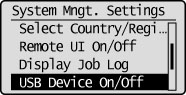
4
Press [] or [] to highlight <Off> or <On>, and then press [OK].
] or [] to highlight <Off> or <On>, and then press [OK].
|
<Off>
|
USB ports cannot be used.
|
|
<On>
|
USB ports can be used.
|
5
Press [] (Settings/Registration) to close the Settings/Registration screen.
] (Settings/Registration) to close the Settings/Registration screen.6
Restart the machine.
It is necessary to restart the machine to take effect the settings.
Turn OFF the machine and wait for at least 10 seconds before turning it back ON.
Turn OFF the machine and wait for at least 10 seconds before turning it back ON.