Importing Registered Data
You can import the data that was exported to your computer.
|
IMPORTANT
|
|
The existing menu options data is overwritten when you import the data.
|
1
Start the Remote UI and log on in System Manager Mode. Starting the Remote UI
2
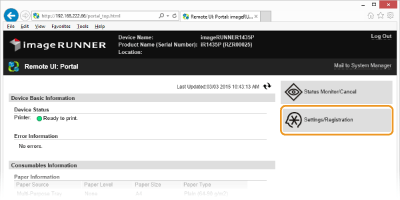
Click [Settings/Registration].
3
Click [Import/Export]  [Import].
[Import].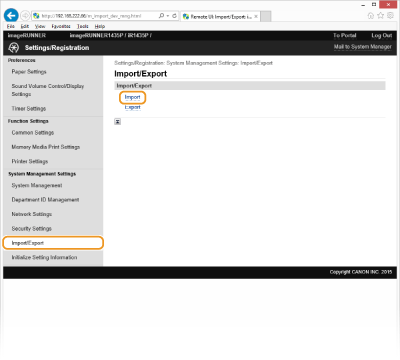
4
Specify the settings for importing, and click [Start Importing].
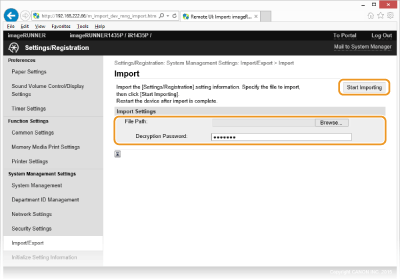
[Browse...]
Click to select the file to import.
[Decryption Password:]
Enter up to 32 alphanumeric characters for the password that was set when the file was exported.
5
Click [OK].
The specified data is imported to the machine.
6
Click [OK].
The machine restarts automatically after the data is imported.