Making a Copy
This section describes the basic operation procedure for copying originals.
1
Display the Copy Screen
Press  (COPY) to display the top screen of the Copy function.
(COPY) to display the top screen of the Copy function.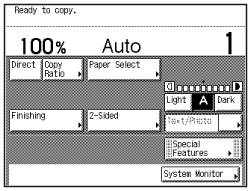
If the machine is in the Sleep mode, press  (Power).
(Power).2
Place Your Originals
Place your originals in the feeder or on the platen glass.
7-1.gif)
Close the feeder/platen cover after placing your originals on the platen glass.
3
Specify the Number of Copies
Enter the desired number of copies (1 to 999) using  –
–  (numeric keys).
– (numeric keys).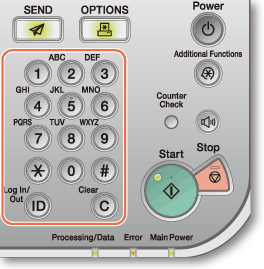
To change the value you have entered, press  (Clear) → enter the correct value.
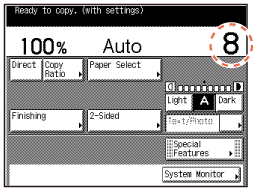
(Clear) → enter the correct value.The number of copies you specify is displayed on the upper right side of the touch panel display.
4
Start Copying
Press  (Start).
(Start).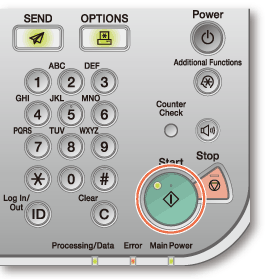
When the screen below appears, select the original size → press [OK] → (Start).
(Start).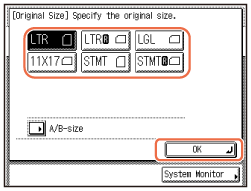
To cancel copying, press  (Stop). You can also cancel the current copy job by pressing [Cancel] on the screen indicating the copy processing status.*
(Stop). You can also cancel the current copy job by pressing [Cancel] on the screen indicating the copy processing status.*|
|
* The canceling procedure differs depending on the job status. For more information, see Introduction to Copy Function.
|
 |
|
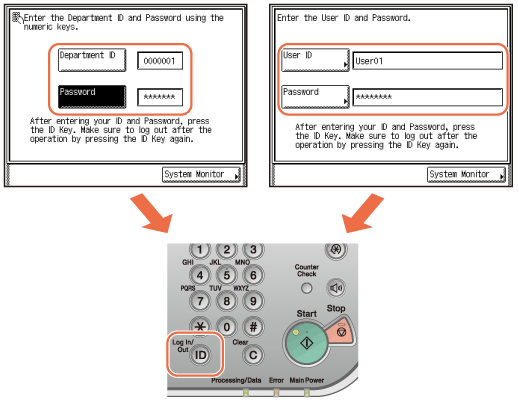
Enter your Department ID and password if the screen prompts you to do so → press
 (Log In/Out). (Log In/Out).Enter your User ID and password if the screen prompts you to do so → press
(Log In/Out).Insert the control card if the screen prompts you to do so.
When you have finished the operations, press
(Log In/Out) or remove the control card to log out.For more information, see Basic Operations.
|