Search Method
|
(1)
|
[Enter keyword(s) here]
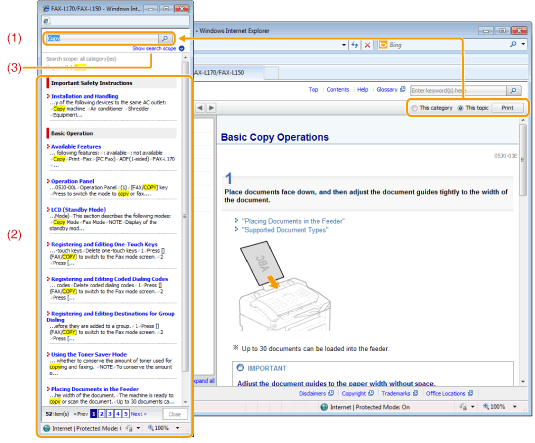
Enter a keyword in the keyword/text field located on the upper right hand corner of the "Top" or "Topic page", and click [  ]. The search box appears. ]. The search box appears.You can also enter your query in the search box. To search for multiple keywords, separate the keywords with a space (for example "Toner Message" will return topics that contain the keywords "toner" and "message"). |
|
(2)
|
Search result
Display search results. Click [>>Next], [<<Prev], or the page number at the bottom of the page to move through search results when your search produces more than 10 results.
|
|
(3)
|
[Show search scope]
Click here to limit your search to a specific category.
|