Selecting the Type of Original for Copying
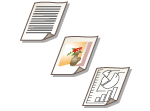 | You can select the optimal image quality for the copy depending on the type of original such as originals with only characters or magazines with photographs. |
1
Place the original. Placing Originals
2
Press <Copy>. <Main Menu> Screen
3
Press <Options> on the Copy Basic Features screen. Copy Basic Features Screen
4
Press <Original Type>.
5
Select the type of original.
If you select <Text/Photo (BleedReduce)>, you can help prevent the reverse side of the page or the next page from showing when scanning.
If you select <Printed Image>, you can copy printed photographs (photographs made with halftone dots) with optimal print quality.
If you select <Photo Printout>, you can copy photographs printed on photographic paper with optimal print quality.
 |
For thin black-and-white originals such as newspapers, it is recommended that you specify <Options>  <Density> <Background Density> <Auto>. Basic Copy Operations <Density> <Background Density> <Auto>. Basic Copy Operations |
6
Press <OK> <Close>.
<Close>. |
If you select <Photo Printout> and copy, highlights may be blown out (areas with stronger brightness may become bright white). In this case, adjust the background density so that blow out does not occur. Press <Options> <Density> <Adjust> for <Background Density> <+>. |
7
Press  (Start).
(Start).Copying starts.