Exporting User Information
In this example, the user information in Device_A will be exported. The user information is exported with roles assigned to each user.
1.
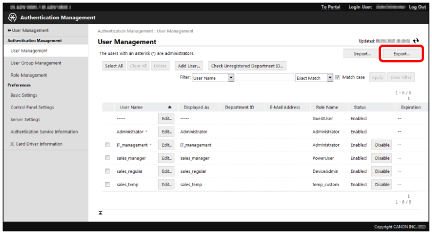
Click [Export] in [User Management] page.
2.
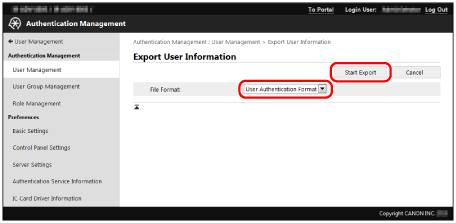
Confirm that [User Authentication Format] is selected → click [Start Export].
3.
Follow the instructions on the screen to specify the location to save the file.
The file is downloaded.
NOTE |
The file extension is 'csv' and the default file name is 'userData.csv'. |
4.
Click [Log Out].