Adjusting Balance between File Size and Image Quality (Data Size)
 |
|
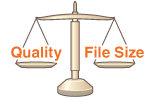
You can specify the file compression ratio when converting scanned originals into the JPEG format. <Small: Memory Priority> makes the compression ratio higher than normal to create smaller files with lower image quality. On the other hand, <Large: Image Quality Priority> makes the compression ratio lower than normal larger files with higher image quality.
|
Saving Data to a USB Memory Device
<Scan> /b_key_arrow_right.gif) <USB Memory> <Data Size> Specify the setting
<USB Memory> <Data Size> Specify the setting
<USB Memory> <Data Size> Specify the settingSending Data by E-Mail or Saving Data to the Server
<Scan> Specify destinations in <E-Mail>/<File> Select <Data Size> in the <Send Settings> tab Specify the setting
Specify destinations in <E-Mail>/<File> Select <Data Size> in the <Send Settings> tab Specify the setting