Displaying/Hiding Ribbons
The ribbon can be displayed or hidden. If you hide the ribbon, the Work Window is displayed larger.
This section describes how to hide the ribbon.
1.
Click  (Hide the Ribbon) on the ribbon.
(Hide the Ribbon) on the ribbon.Or, follow one of the steps described below.
Double-click a tab name on the ribbon.
Right-click the ribbon or toolbar and select [Hide the Ribbon].
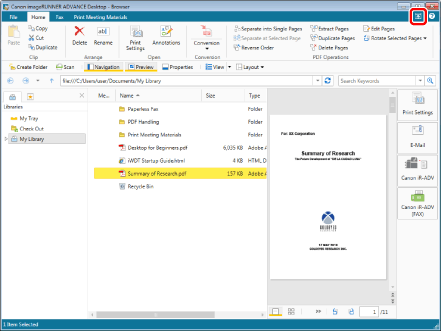
The ribbon is hidden.
|
NOTE
|
|
If you hide the ribbon, only the tab names are displayed. If you click a tab name, the ribbon is temporarily displayed, enabling you to click commands. When a command is clicked, the ribbon is hidden again, and only the tab names are displayed.
You can display the ribbon by performing one of the following operations.
Click
 (Display the Ribbon) on the ribbon. (Display the Ribbon) on the ribbon.Double-click a tab name on the ribbon.
Right-click a tab name on the ribbon or toolbar and select [Hide the Ribbon].
|