Saving Print Data
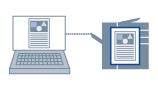
You can store print data in a box in the printer. You can also change the print settings of and combine the print data in boxes.
 |
|
Store
|
1.
Display the [Print Settings] tab.
2.
Select [Output Method] → [Store] → click [Details].
The [Store Details] Dialog Box is displayed.
3.
Configure the settings for [Data Name] → select a storage destination from [Box] → click [OK].
To select multiple storage destination boxes:
For non-sequential numbers: Select the appropriate numbers while pressing the [Ctrl] key
For sequential numbers: Select the first and last numbers while pressing the [Shift] key
4.
Click [OK] in the printer driver screen.
5.
Click the print button in the application.
The print data is sent to the storage destination in the printer. The data is output by an instruction from the control panel of the printer or the Remote UI.