
Entering Quiet Mode
The quiet mode function reduces the operation sound of the machine. You can also specify a time for the machine to automatically enter quiet mode.
|
|
When quiet mode is enabledThe operation of functions becomes slower.
When the machine cannot enter quiet modeThe machine is in Special Printing Mode
A particular paper size or paper type is specified
|
Entering Quiet Mode
<Menu>  <Adjustment/Maintenance> <Special Processing> <Enable Quiet Mode> <On>
<Adjustment/Maintenance> <Special Processing> <Enable Quiet Mode> <On>Specifying a time for the machine to enter quiet mode
You can specify a time for the machine to enter or exit quiet mode automatically. For example, this is useful when wanting to reduce operation noise only for late-night operation.
<Menu> <Timer Settings> <Quiet Mode Time> Specify each setting <Apply>
<Timer Settings> <Quiet Mode Time> Specify each setting <Apply>
 <Start Time>
Specify a time for entering quiet mode. To set, select <On> then specify the time.

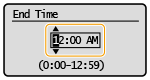
 <End Time>
Specify a time for exiting quiet mode. To set, select <On> then specify the time.
Exiting Quiet Mode
<Menu> <Adjustment/Maintenance> <Special Processing> <Enable Quiet Mode> <Off>
<Adjustment/Maintenance> <Special Processing> <Enable Quiet Mode> <Off>