Printing from an Application
This explains the basic procedure for printing from an application.
1.
Select [Print] from the application's [File] menu.
2.
In the [Print] dialog, select the device to use from the [Printer] pop-up menu.
3.
Configure the print options.
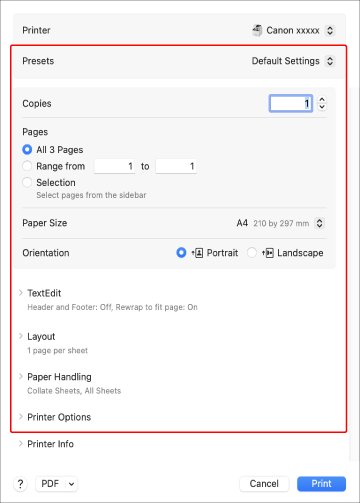
To use settings saved as a preset
Select the name of the preset from the [Presets] pop-up menu.
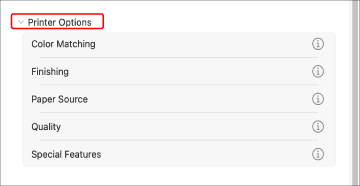
To configure the print function of the device
Click [Printer Options] → configure the required items.
 NOTE
NOTEIf the functions you want to set are not displayed in the print options, configure the settings after enabling the device option, etc.
4.
In the [Print] dialog, click [Print].