Exporting the Device List
Export the device list managed in iW Management Console V3.x so that it can be imported to the destination Enterprise Management Console V4.x.
1.
Log in to iW Management Console V3.x.
2.
Set the character encoding of the file to export to UTF-16.
Select [Configuration] > [Common Settings] > [Communications Settings] from the menu.
Select [utf-16] in [Character Settings] > [Character Code Used by CSV Files], and click [Update].

3.
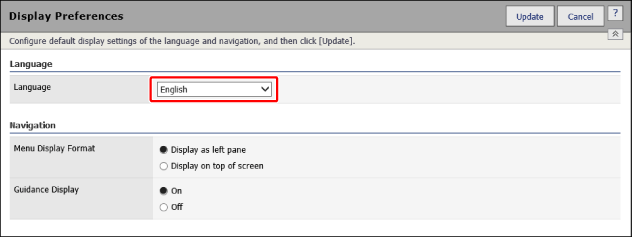
Set the display language to English.
Select [Configuration] > [Preferences] > [Display Preferences] from the menu.
Select [English] in [Language], and click [Update].
4.
Export the device list.
Select [Device] > [List] > [Device List] from the menu.
Click [Export].
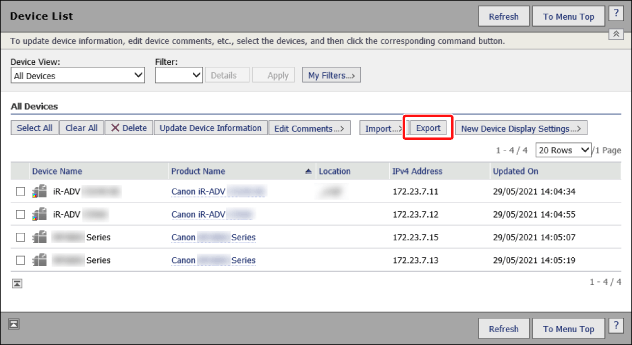
Follow the instructions on the screen to save the file.