Exporting the Licenses
If the Device Application Management Plug-in was used in iW Management Console V3.x, export the license files from iW Management Console V3.x.
1.
Log in to iW Management Console V3.x.
2.
Export the license files.
Select [Device] > [Application] > [Application Management] > [License List] from the menu.
Select the license files to export.
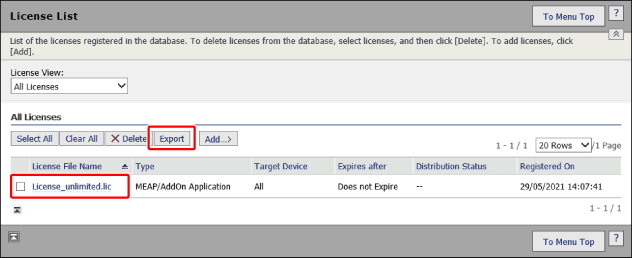
Click [Export].
Follow the instructions on the screen to save the file.