Importing Licenses
Import the license file exported from iW Management Console V3.x to Enterprise Management Console V4.x.
1.
Prepare the license file to register.
The file extension for license files is '.lic'. You can also register a batch of license files contained in a compressed file (with the '.zip' file extension).
2.
Select the [Data Management] menu > [Applications].
3.
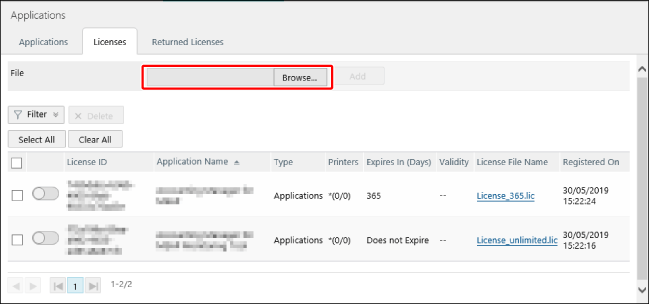
Select the [Licenses] tab.
4.
In [File], select the license file.
5.
Click [Add].
The license file is registered to this software.