导出许可证
如果是在 iW Management Console V3.x 中使用 Device Application Management Plug-in,则从 iW Management Console V3.x 导出许可证。
1.
登录 iW Management Console V3.x。
2.
导出许可证文件。
从菜单中选择 [Device] > [Application] > [Application Management] > [License List]。
选择要导出的许可证文件。
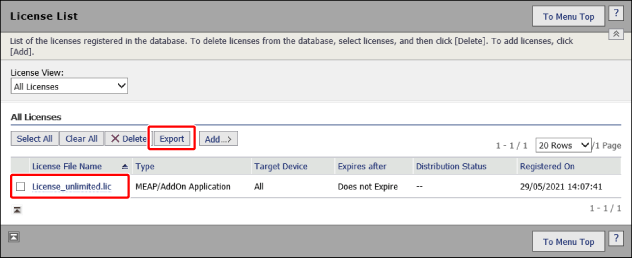
单击 [Export]。
按照屏幕上的说明保存文件。