
<Use Password Strength Indicator> (Ver. 3.22-)
 (Settings/Registration)
  <Management Settings> <User Management> <Authentication Management> <Keyboard Authentication>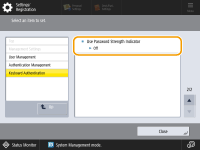
You can now configure whether to display a password strength indicator on the password setting screen when registering or editing user information.
|
When set to <On>, the password strength can be adjusted in 5 levels. If the password strength is set to 1, there are no restrictions on password settings. If the password strength is set to 2 or higher, you will not be able to set a password with a strength lower than you set. If the entered password does not meet the minimum character length, an error message will be displayed. |
Settings/Registration Table
For details on how to view the Settings/Registration Table, see "Settings/Registration" "Settings/Registration Table" in the "User's Guide."
"Settings/Registration Table" in the "User's Guide."Item | Setting Description | DeviceAdmin | NetworkAdmin | Can be set in Remote UI | Device Information Delivery Available | Import All Function | Name of Item When Exporting with the Remote UI |
<Use Password Strength Indicator> | <On>, <Off> When <On> is selected: <Required Password Strength Level>: 1 to 5 | No | No | Yes | No | C | Settings/Registration Basic Information |