检查设备详细信息
本节介绍如何查看在本软件中注册的设备的详细信息。
1.
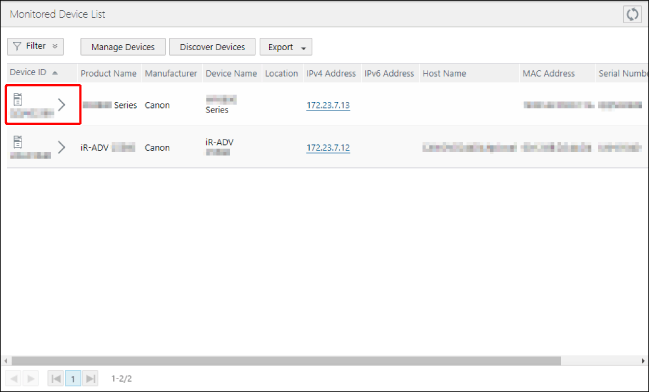
选择 [Devices] 菜单 > [Monitored Device List]。
也可以从以下页面的列表中检查设备信息。
[Devices] 菜单 > [Monitored Device List] > [Manage Devices] > [Managed Devices]
[Devices] 菜单 > [Monitored Device List] > [Manage Devices] > [Devices Removed from Management]
2.
在列表中选择目标Device ID。
对于 [Devices Removed from Management] 页面,请选择序列号。
3.
在 [Device Details] 页面上执行所需的操作。
注释 |
如果仅显示一些信息,请执行 [Retrieve Device Information] 任务。 |
[Ability to Be Monitored] | 对于未进行监控设置的设备,会显示此项。 单击 [Check Functionality] 检查设备是否可以向远程监控服务器发送数据。 对于未执行功能检查的设备或没有此功能的设备,会启用此按钮。 |
[Registration Status] | 对于已进行监控设置的设备,会显示此项。 [Register]: 对于未注册到远程监控服务器的设备,会启用此按钮。 单击此按钮以将设备注册到远程监控服务器。 [Communication Test]: 对于已注册到远程监控服务器的设备,如果选择 [CCA] 作为会 [Monitoring Method],则会显示此按钮。单击此按钮以检查远程监控服务器是否与设备正常通信。 |
[Communication Test Result] | 对于已注册到远程监控服务器的设备,如果选择 [CCA] 作为 [Monitoring Method],则会显示此项。将在列表中显示通信测试的结果。 |
[Manually Send Billing Counter]
注释 |
当从 [Managed Devices] 页面显示 [Device Details] 页面时,会在以下情况显示这些项目。 在设备上将 [Monitoring Mode] 设置为 [CCA Mode] 且将 [Monitoring Method] 设置为 [Polling] 时 [Monitoring Mode] 设置为 [Standard Mode] 时 |
[Reset Department Counter] | 指定在收集结算计数器信息并将其发送到远程监控服务器之后执行的操作。仅在 [Monitoring Mode] 设置为 [Standard Mode] 时显示。 |
[Send Reset] | 启用:重置部门计数器。 禁用:不重置部门计数器。 显示 [Device Details] 页面时将禁用此设置。不会保存此设置。 |
[Retrieve and Send Now] | 收集结算计数器信息并将其发送到远程监控服务器。将按照 [Reset Department Counter] 中的设置执行后续操作。 |
[Sending History] | 显示当前日期和时间的之前 7 天内执行的发送操作结果(最多显示 10 次发送操作的结果)。 |
4.
如果您更改了设置,请单击 [Update]。