White Bands or Black Bands Appear
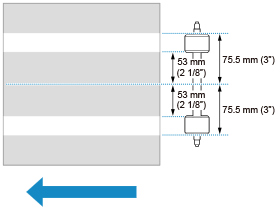
Components stuck to the paper before printing from the rubber parts of the paper transport rollers may cause bands to appear in the image.
* The arrow indicates the transport direction.
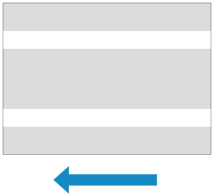
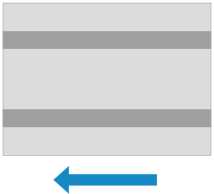
The brightness of the bands compared to the surrounding image may cause the following patterns to occur.
When lighter than the surrounding image
When darker than the surrounding image
If bands occur due to the area where the paper passes over the paper transport rollers, perform the remedy below.
Feed through 30 uncoated sheets of paper with a size of 297 mm x 420 mm (11 3/4" x 16 1/2") or larger and a weight of 300 g/m2 to 350 g/m2 (110.9 lb Cover to 129.4 lb Cover).
When feeding through the paper, do so using the output tray and print mode used for an actual job and print an image with as light a density as possible. We also recommend setting the smallest scale and feeding paper from all paper sources using the two-sided print mode.
After performing the above, request your maintenance representative or service representative to clear the media head shading settings. If similar bands occur in images output after this, perform the above remedy again.