Changes to Destination Registration
 (4.04-)
Adding an SFTP Server to Destination Registration When Sending Data to a File Server
When you register a file server in the Address Book or a one-touch button, you can now register an SFTP server in the [Host Name].
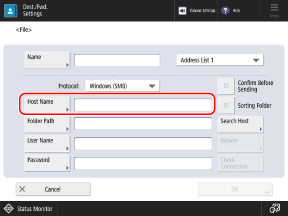
[Host Name]
Enter the host name or IP address of the destination.
For a shared folder, enter the name or IP address of the computer with the shared folder.
When you enter an IPv6 address, enclose the IP address in brackets [ ].
When [FTP] Is Selected for [Protocol]
Enter "sftp://" at the beginning to specify an SFTP server.
Examples:
sftp://192.168.100.50
* You can configure whether to authenticate the destination SFTP server. Authenticating the Destination SFTP Server