Changes to User Authentication
 (4.02-)
Adding an Item to Set IPP Print Information in User Information Registered on the Local Device
When registering user information, you can now set user name or mail address used for IPP print.
Set when associating registered users with IPP print jobs.
Set when associating registered users with IPP print jobs.
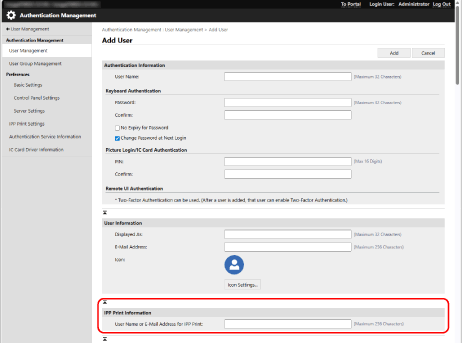
This can be set when [Settings/Registration]  [Network] [IPP Print Settings] is enabled.
[Network] [IPP Print Settings] is enabled.Users registered in the local device can configure the settings by themselves, or an administrator can configure batch settings by using a CSV file. Associating IPP Printing Information with Users