 Settings/Registration]
  [Preferences] [Display Settings] [Default Screen (Status Monitor)]
 (Ver. 4.00-)
 Settings/Registration] [Preferences] [Display Settings] [Default Screen (Status Monitor)]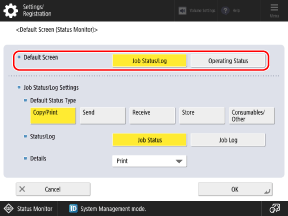
[Default Screen] [Job Status/Log], [Operating Status] |
“Settings That Can Be Distributed, Imported, and Exported” “How to Read the Support Status Lists” in the “User's Guide.”Setting Item | Device Information Distribution | Import All | Export All |
[Default Screen (Status Monitor)] |  | C | Settings/Registration Basic Information |