
[DNS Encryption Settings] (Ver. 4.04-)
[ Settings/Registration]
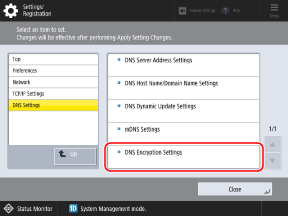
  [Preferences] [Network] [TCP/IP Settings] [DNS Settings] [DNS Encryption Settings]
Settings/Registration] [Preferences] [Network] [TCP/IP Settings] [DNS Settings] [DNS Encryption Settings]You can now configure whether to encrypt communication with the DNS server using TLS.
[Use DNS over TLS] [On], [Off] [Port Number to Use] 1 to 853 to 65535 [Host Name to Verify] [Host Name] |
* Values in red text indicate the default setting for each item.
Settings That Can Be Distributed, Imported, and Exported
The following list shows the support status for the device information distribution, import, and export functions.
For how to read the support status lists, see “[Settings/Registration] Menu List” “Settings That Can Be Distributed, Imported, and Exported” “How to Read the Support Status Lists” in the “User's Guide.”
“Settings That Can Be Distributed, Imported, and Exported” “How to Read the Support Status Lists” in the “User's Guide.”Setting Item | Device Information Distribution | Import All | Export All |
[DNS Encryption Settings] |  | C | Settings/Registration Basic Information |