Disposing of Punch Waste in Staple Finisher-AG and Booklet Finisher-AG
Dispose of the punch waste when the punch waste in the staple finisher or booklet finisher becomes full and the icon instructing you to dispose of punch waste is displayed on the control panel.
1
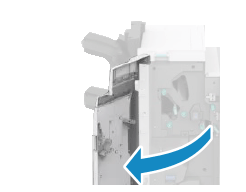
Open the front cover of the finisher.
2
Pull out the punch waste tray.

Make sure that the A2 guide is closed so that the F-A2 guide does not hit the punch waste tray when pulling it out.
If the A2 gude is open, close it.

3
Dispose of the punch waste.

4
Install the punch waste tray into the finisher.

Firmly push in the tray as far as it will go.
5
Close the front cover of the finisher.