Adjusting Standard Density
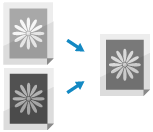
If the density does not improve after performing density adjustment, follow the procedure below to correct it.
Use the control panel to correct the density. You cannot perform correction using Remote UI from a computer.
1
On the control panel, press [ Settings/Registration] in the [Home] screen or other screen. [Home] Screen
Settings/Registration] in the [Home] screen or other screen. [Home] ScreenThe [Settings/Registration] screen is displayed.
2
Press [Adjustment/Maintenance]  [Adjust Image Quality] [Adjust Standard Density].
[Adjust Image Quality] [Adjust Standard Density].The [Adjust Standard Density] screen is displayed.
3
Move the slider to the left or right to adjust the density.
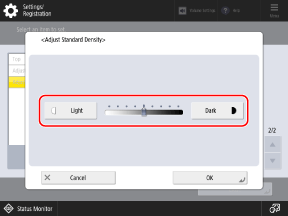
The overall density of the printed material, including filled areas, text, lines, and intermediate densities are adjusted. This setting should mainly be used to adjust the maximum density.
4
Press [OK].
The adjustments are applied.