 click [Settings/Registration] [Send] [TX Settings - Fax Settings] in [Set Pause Time], enter the pause time click [OK]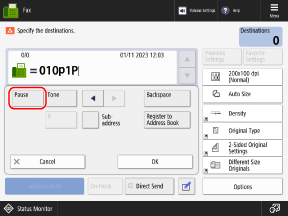
Log in to Remote UI click [Settings/Registration] [Send] [TX Settings - Fax Settings] in [Set Pause Time], enter the pause time click [OK] |
 Settings/Registration], and configure the setting in [Function Settings]. [Set Pause Time]
Log in to Remote UI as an administrator click [Settings/Registration] [Send] [Communications Settings - Fax Settings] in [TX Start Speed], select the speed click [OK] |
Settings/Registration], and configure the setting in [Function Settings]. [TX Start Speed]