
Using the Touch Panel Display
The display of the machine is a touch panel that can be operated by touching directly with your fingers. The screen is used not only for basic functions such as copying and scanning, but also to display various settings, text input, communication status and error messages. In this manual, however, "touch" is indicated as "press."
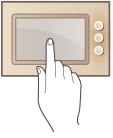
|
Regarding the handling of the touch panel displayDo not press the touch panel display too hard. Doing so may break the touch panel display. Do not use an object with a sharp end, such as a mechanical pencil or ballpoint pen. Doing so may scratch the surface of the touch panel display or break it. Placing objects on the display or wiping the display may cause the touch panel to react and lead to a malfunction. |
 |
The LCD panel is manufactured with high-precision technology, but in rare cases may have some dead pixels. This is due to the way the LCD panel is manufactured and does not mean it is defective. Peel off the protective film from the touch panel display before use. You can customize menus and rearrange frequently used buttons for easier access. You can also combine multiple settings into one button to simplify operations. Customizing the Touch Panel Display |
Adjust the brightness of the touch panel display |
If it is hard to see the content of the touch panel display, perform the following operation on the <Home> screen to adjust the brightness. <Adjust Brightness>  adjust the brightness with <+> or <-> <Close> adjust the brightness with <+> or <-> <Close> |